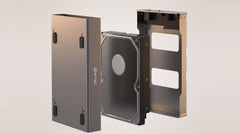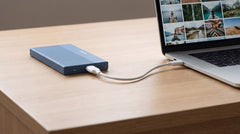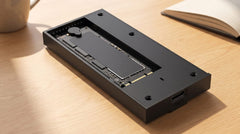


You plug in your external SSD to transfer today's shots, and nothing happens. No icon on your desktop, no chime when you connect it, nothing. Two questions tangle together in that moment: will you get a new enclosure under warranty, and have you lost your photos? This article answers both questions separately, because that is exactly where the confusion lies.
Warranty and data loss are two different things
Warranty covers the enclosure: the physical device you bought. If something goes wrong with the connection, the electronics inside, or the power supply, that is a warranty matter. The files that were stored on the SSD are a different story. They are not automatically covered under that same warranty. That distinction is not specific to Switss, it applies to every manufacturer of storage enclosures, and it is the core of this entire article.
What Switss's 2-year manufacturer's warranty does cover
Material and manufacturing defects in the enclosure
Switss gives all three enclosures in this article (the M.2 SSD enclosure with heatsink, the M.2 SSD enclosure USB4/Thunderbolt 4, and the RAID Dual-Bay) a 2-year manufacturer's warranty, with Dutch customer service. That generally covers material and manufacturing defects in the enclosure itself: think of a connection coming loose, failing electronics, or a power supply problem. If your own SSD (the one you fitted into the enclosure yourself) fails, that warranty claim in practice runs not through Switss but through the manufacturer of that SSD. This is standard practice for storage enclosures in general (we found no literal Switss warranty text on this point); the Switss warranty covers the enclosure, not SSDs from other brands that you place inside it.
How a warranty claim works in practice
If the enclosure breaks down within the warranty period, contact customer service first before sending anything back: a return sent without prior approval is not accepted. Once approved, you receive a return label and instructions. This is Switss's regular return process (the same route as for the statutory right of withdrawal), not a separately documented warranty procedure with its own turnaround-time promise, so we do not quote a figure here either, because none is stated anywhere.
What warranty does not cover: your files themselves
Warranty repairs or replaces a defective enclosure. It is not a data recovery service, and that applies to every brand: LaCie, WD, Switss, all of them. No manufacturer's warranty on an SSD enclosure promises that your files come back if the enclosure or the SSD fails; that is general technical knowledge, not a shortcoming of one specific brand. Separate from the warranty period, Switss does arrange the right of withdrawal: a 30-day reflection period from the date you receive the item, set out in the Refund Policy, a separate arrangement, not data recovery.
Preventing data loss: mirroring, speed, and the 3-2-1 rule
What you have just read is the scenario after a failure. More important is how you reduce the chance of that happening, and that is exactly where your choice of storage makes a difference.
Automatic mirroring with RAID 1
The Switss RAID Dual-Bay M.2 SSD enclosure has two M.2 slots and a RAID 1 mode (mirroring): every file you save is written to both SSDs at the same time, set with dip switches (small switches on the inside of the enclosure) on the enclosure itself, no software required. Let's be honest about what that does and does not deliver:
- Protected against: one of the two SSDs failing. Your files then simply remain
accessible on the other one.
- Not protected against: accidentally deleting a file, which disappears from both
SSDs at the same time, because mirroring copies every change, including a deletion. Theft, fire, or water damage also hits both SSDs in the same enclosure just as hard as it would a single drive. For truly critical files, keeping a separate, standalone copy somewhere else remains wise, alongside the mirrored enclosure.
For the full setup steps and the other RAID modes, RAID 0, JBOD (two separate, independent drives with no RAID link), and Clone, we point you to the separate articles on those. This piece sticks to what mirroring means for the warranty/data-loss question. If you are only wondering about the technical difference between RAID 0 and RAID 1, RAID 0 vs RAID 1 Explained: Speed or Safety? explains that.
Backing up fast enough during the shoot itself
Time pressure on location is itself a risk factor: rushed copying, no time for a second backup. A faster connection lowers that barrier. The [Switss M.2 SSD enclosure USB4/Thunderbolt 4](https://www.switss.nl/products/switss%C2%AE-m-2-ssd-behuizing-usb4-thunderbolt-4-40-gbps) connects via USB4 with a connection bandwidth of up to 40 Gbps and reaches up to **3000 MB/s** with a fast NVMe SSD, compared with roughly 1000 MB/s on a standard USB-C 3.2 Gen 2 port (10 Gbps). If your laptop itself supports USB4 or a Thunderbolt 3/4 port, you get the full benefit of that speed; on a regular USB-C port the enclosure still works, just at a lower speed. For RAID 1 mirroring itself, the RAID Dual-Bay product page does not list a separate MB/s figure. That speed depends on your SSDs, the mode you choose, and your computer's USB port, so we are not making up a number for that either. If you want to see the Gbps and MB/s of USB4, Thunderbolt 4, and USB 3.2 laid out side by side, that is covered in ["Thunderbolt 4 vs USB4 vs USB 3.2: Speeds Compared"](https://www.switss.nl/blogs/gids/thunderbolt-4-vs-usb4-vs-usb-3-2-snelheden-vergeleken).
The 3-2-1 rule applied to a shoot or trip
Three copies of your files, on two different types of media, with one copy physically kept somewhere else: the 3-2-1 backup rule is not a Switss invention, but a widely recognised backup principle. Translated to a shoot or trip: your memory card is copy 1, a mirrored RAID enclosure (or a fast single-bay enclosure) is copy 2, and a third copy somewhere else (at home, in the cloud, or with someone else) is the copy that protects you if something goes wrong with your whole bag along the way. If you still need to get that memory card itself read out, ["Reading SD and microSD Cards via a USB-C Hub (for Photographers and Video Creators)"](https://www.switss.nl/blogs/gids/sd-en-microsd-kaarten-uitlezen-via-een-usb-c-hub-voor-fotografen-en-videomakers) picks up right there.
Why trust signals matter so much for a still-unfamiliar brand
Switss is a name you probably had not come across before. Research from Thuiswinkel.org shows how heavily trust signals weigh with an unfamiliar webshop, regardless of the brand: 91% of Dutch consumers recognise the Thuiswinkel Waarborg trust mark, 80% consider it (very) trustworthy, 61% find a webshop more trustworthy with the logo, and 22% will not buy without it on principle. Switss does not currently carry that trust mark. These are general market figures, not a claim that Switss carries it. What is concrete and verified: a 2-year manufacturer's warranty, a 30-day reflection period, and Dutch customer service. The M.2 SSD enclosure with heatsink now has 11 customer reviews on the site with an average of 4.27 stars; for the RAID Dual-Bay and the USB4 enclosure no reviews have been collected yet, so we do not mention those here.
Frequently asked questions
What happens to my warranty if the SSD itself (not the enclosure) fails?
The Switss warranty covers the enclosure. If you fit an SSD from another brand yourself and that SSD fails, that claim in practice runs through the SSD manufacturer's warranty, not through Switss. This is standard practice for storage enclosures in general; we found no literal Switss warranty text on this point.
Does Switss reimburse or recover lost photos if a drive fails?
No. Warranty repairs or replaces the enclosure; it is not a data recovery service (see the explanation above under "What warranty does not cover").
How do I file a warranty claim with Switss?
Contact customer service first before sending anything back. A return sent without prior approval is not accepted; once approved, you receive a return label and instructions. This is Switss's regular return process, not a separately documented warranty procedure with its own turnaround time.
Is a 2-year manufacturer's warranty actually a lot for an SSD enclosure?
Switss offers a 2-year manufacturer's warranty on all three enclosures in this article. Exactly how LaCie or WD structure their warranty periods was not separately verified for this article, so we make no claim about that here.
Does RAID 1 mirroring protect me against all forms of data loss?
No. Mirroring protects against one SSD failing, but not against accidental deletion, theft, fire, or water damage (see the protected/not protected list above).
What is the best thing to do if a drive fails and I do not have a backup yet?
Stop writing to the drive (continued use can reduce the chance of data recovery) and seek professional help for truly critical files. Switss itself does not offer a data recovery service, so we make no promise here about whether recovery will succeed.
Next step
Want to know exactly what happens if your SSD fails during a shoot, and how to reduce that risk? For automatic mirroring, take a look at the [Switss RAID Dual-Bay M.2 SSD enclosure](https://www.switss.nl/products/switss%C2%AE-raid-dual-bay-m-2-ssd-behuizing-usb-c-3-2-gen-2-20-gbps); for the fastest single-bay connection, the [Switss M.2 SSD enclosure USB4/Thunderbolt 4](https://www.switss.nl/products/switss%C2%AE-m-2-ssd-behuizing-usb4-thunderbolt-4-40-gbps); and as an entry-level model, the [Switss M.2 SSD enclosure with heatsink](https://www.switss.nl/products/switss-m-2-ssd-behuizing-met-heatsink). If you are torn between NVMe and SATA, ["NVMe vs SATA M.2 SSD: what's the difference (and what do you need)?"](https://www.switss.nl/blogs/gids/nvme-vs-sata-m-2-ssd-wat-is-het-verschil-en-wat-heb-jij-nodig) explains that difference. Still need to decide which product best fits your shoots and how Switss compares with LaCie and WD? "Best External SSD for Photographers: Switss Compared to LaCie and WD" sets that out side by side.