


The short answer: RAID 0 combines two drives into one fast, large drive, but without a safety net: if one fails, you lose everything. RAID 1 stores your data twice across two drives, so a single drive failure costs you nothing, though you give up half your capacity. Choose speed (RAID 0) if you already back up elsewhere, and safety (RAID 1) if your data is irreplaceable.
RAID in one sentence
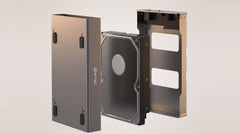
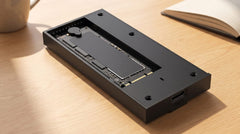
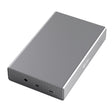
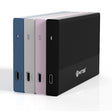
RAID lets multiple drives work together as if they were one. Depending on the mode, the system spreads your data across the drives for speed, or stores every byte twice for safety. You do not need to be a tech expert for this: with the Switss® RAID Dual-Bay enclosure, you set the mode with a switch inside the enclosure, next to the port cover. No software, no BIOS, no hassle. Just click in two M.2 drives, connect via USB-C and choose.
RAID 0: Maximum Speed
In RAID 0, your data is spread alternately across both drives, a method called striping. Because the system reads and writes from two drives at once, the speeds nearly add up. Two drives of 1000 MB/s each reach close to 2000 MB/s combined, and the full capacity counts too: 2 × 2 TB gives you 4 TB usable.
The downside is unforgiving. There is no backup copy. If one of the two drives fails, all your files are gone, since they were split across both. RAID 0 is therefore ideal for video editing, temporary work files, or anything where you already back up elsewhere and raw speed makes the difference.
RAID 1: Maximum Safety
In RAID 1, the system writes every file to both drives at the same time, a method called mirroring. So you always have two identical copies. If one drive fails, everything keeps running smoothly on the other and you lose nothing.
That safety net costs capacity: 2 × 2 TB gives you 2 TB usable, since every byte is stored twice. Write speed matches that of a single drive, while reading can be slightly faster, because the system can draw from both sides. RAID 1 is the sensible choice for irreplaceable data: work files, customer records, project archives, anything where you do not want to gamble on whether your last backup is still current.
What About the Other Two Modes?
The Switss Dual-Bay can do more than just RAID 0 and 1. Two modes are often overlooked, but come in handy.
- PM: both drives stay independent of each other. You see them as two separate drives on your computer, each with its own capacity. This is the factory setting. Perfect if you want to use two drives of different sizes side by side without wasting space.
- Copy: the enclosure copies SSD A to SSD B in one go, also without a computer (with your own 5V/3A USB-C charger). SSD B is the same size or larger and is completely overwritten. Ideal as an offline backup you store separately or take with you.
The Four Modes Side by Side
| Mode | Speed | Capacity (2 × 2 TB) | Protection Against Failure | Best For |
|---|---|---|---|---|
| RAID 0 | Up to 2× faster | 4 TB | None | Video, temporary data |
| RAID 1 | Same as one drive | 2 TB | Yes (1 drive may fail) | Irreplaceable files |
| PM | Normal | 4 TB (2 separate drives) | None | Two separate drives |
| Copy | Normal | 2 TB | Yes (separate copy) | Offline backup |
Which Mode Fits You?
You do not have to choose forever, your needs change, and the switch changes with them. A few common situations:
- Videographer or editor: you work with heavy raw files and prefer to edit straight from the drive. RAID 0 gives you the speed to do that smoothly.
- Freelancer or self-employed: your invoices, client files and projects are irreplaceable. RAID 1 makes sure a failed drive never becomes a crisis.
- Home user with spare drives: you still have a 1 TB drive and a 2 TB drive lying around. In PM mode you use them both separately, without wasting space.
- Smart backer-upper: you want a physical copy you store separately every month. Copy mode puts that copy on the second drive: just remove it and put it away.
Speed in Practice
The Switss RAID Dual-Bay connects via USB-C 3.2 Gen 2x2 at 20 Gbps. In RAID 0 with two fast NVMe drives, you reach up to about 2000 MB/s, limited by the USB connection, since with an external enclosure the port always determines the upper limit. In RAID 1, write speed matches that of a single NVMe drive, while reading benefits from the full bandwidth.
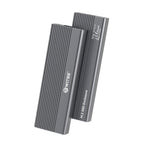
Don't need RAID and just want one fast external SSD? Then the Switss M.2 SSD enclosure is the lighter, more affordable choice: up to about 1050 MB/s via USB-C 3.2 Gen 2, suitable for both NVMe and SATA, with a built-in heatsink for stable temperatures.
Remember This One Thing
RAID is not a backup. It protects you against a failed drive, but not against accidental deletion, ransomware or fire. Always keep a real backup in another location, RAID 1 is the first line of defense, not the only one.
Conclusion
RAID 0 trades safety for speed; RAID 1 trades capacity for certainty. If you are unsure and your data matters, RAID 1 is almost always the right choice. Want to keep all options open? With the Switss RAID Dual-Bay enclosure you switch effortlessly between PM, RAID 0, RAID 1 and Copy, for two M.2 SSDs, via USB-C at 20 Gbps, without software or BIOS puzzling. And if you are unsure whether a drive fits: our Dutch customer service is happy to help, with 3 years warranty and 30 days returns.
Frequently Asked Questions
Is RAID the same as a backup?
No. RAID protects you against a failed drive, but not against accidentally deleted files, ransomware or fire. So always keep a real backup in another location, even with RAID 1.
Can I switch from RAID 0 to RAID 1 later without losing data?
No. When you change modes, the drives are reinitialized. Make a backup first, then restore your data afterwards.
Do both drives need to be the same model?
For RAID 1 and Copy, that is strongly recommended. With different sizes, the system uses the smallest drive as the limit. In PM mode it does not matter, you can safely mix drives there.
What happens if a drive fails in RAID 1?
Your files are then still on the other SSD.
What speed do I get with the Switss RAID Dual-Bay?
Via USB-C 3.2 Gen 2x2 at 20 Gbps, in RAID 0 with two NVMe drives you reach up to about 2000 MB/s. The USB connection always determines the upper limit of an external enclosure.