Moving large files
Move folders of videos, photos and projects in one go. With a fast NVMe SSD on a USB4 port you reach up to 3000 MB/s.


Questions about a product or your order? We usually reply within one working day.
Ask your question info@pelkonic.com
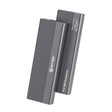
Switss® M.2 SSD enclosure USB4
Turn your own M.2 NVMe SSD into fast external storage, via USB4 or Thunderbolt.
Note: SSD not included.
Delivery in 1 to 2 working days
Switss® M.2 SSD enclosure USB4
USB4 40 Gbps, M.2 NVMe only, up to 8 TB.
Empty enclosure: you fit your own M.2 NVMe SSD (M-key, 2230 to 2280). Which SSD fits?
€64,99incl. VAT€53,71excl. VAT
In stock
SSD not included
Check whether your SSD and computer fitUp to 3000 MB/s with a fast NVMe SSD on a 40 Gbps USB4 or Thunderbolt port; slower on USB 3.2.
Answer the questions above.
Not sure? Send a photo of your SSD or your computer model to info@pelkonic.com. We usually respond within one business day.
Before you order: how it fits, how to set it up and whether it works with your laptop.
More detail
An NVMe M.2 SSD fits, in sizes 2230 to 2280 and up to 8 TB. NVMe is the fast type of M.2 SSD; your SSD's specifications tell you which type you have. A 2.5 inch SSD or hard drive does not fit.
More detail
You place your SSD in the enclosure and connect it with the included USB-C cable. You don't need extra software (drivers). You prepare a new SSD once before first use; the manual explains how.
More detail
It works on Windows, macOS and Linux. You only get full speed, up to 3000 MB per second with a fast NVMe SSD, on a USB4 or Thunderbolt 4 port. On a regular USB-C port it also works, but more slowly.
In use
Turn it into a fast external drive

M.2 NVMe SSDs only (M-key); 3000 MB/s on a USB4 or Thunderbolt port
Compatibility
From 2230 to 2280, up to 8 TB
More detail
The tray has four holes, one for each length: 2230, 2242, 2260 and 2280. Slide the silicone plug onto the end of your SSD and press it into the hole for that length.

Put the plug in the hole that matches your SSD length
Does your SSD say NVMe or PCIe? Then it fits
Cooling
Heat moves via the thermal pad to the aluminium
More detail
The thermal pad sits between your M.2 SSD and the aluminium enclosure and passes the heat on. The aluminium spreads that heat across 14 cooling fins on top and 14 underneath, which release it into the air.
Speed stays up
Even on long transfers
Thermal pad included
Place it on your SSD
Speed
Up to 3000 MB/s via USB4 or Thunderbolt
More detail
With a fast NVMe SSD you reach up to 3000 MB/s read and write, on a USB4 or Thunderbolt port of 40 Gbps and with the cable that comes with it. On a USB 3.2 or USB 3.0 port the speed is lower. What you actually get depends on your SSD and your port.

3000 MB/s with a fast NVMe SSD on a USB4 or Thunderbolt port (40 Gbps)
Which SSD
Look at the notch in the gold edge of your SSD

See where the notch is
Does the label say NVMe or PCIe? Then it is the right type
one notch on the left
fits
two notches
does not work
one notch on the right
does not fit
Installation
No screws, no tools
On the back of the enclosure

It comes out at the USB-C end

Thermal pad on top, plug at the end

The lock then clicks in by itself

Devices
Works with Windows, macOS, Linux and Android

Operating systems
Connections
Connect at the front, open at the back


Port
Speed depends on the port on your laptop or PC
with a 40Gbps or Thunderbolt mark
up to 3000 MB/s
SS 10 or SS next to the port
works, but slower
the cable is USB-C to USB-C
not without an adapter
this port is for charging only
does not work
First use
A new SSD only shows up after initialising
Note: initialising erases everything on the SSD. Make a backup first
Dimensions
How big the enclosure is, next to a bank card


In the box
Supplied without an M.2 SSD
On top: the enclosure in the tray insert

Below: cable, thermal pad, plugs, manual

| Part | Qty |
|---|---|
| 1Switss® M.2 enclosure | 1× |
| 2USB-C to USB-C cable50 cm | 1× |
| 3Thermal pad | 1× |
| 4Silicone plugs | 2× |
| 5ManualNL · EN · FR · DE | 1× |
Move folders of videos, photos and projects in one go. With a fast NVMe SSD on a USB4 port you reach up to 3000 MB/s.
Work straight from the drive in your editing or photo software. The aluminium carries the heat away, so the speed stays up even on long transfers.
Out of space on your laptop? Put your photos, projects and backups on an M.2 SSD in the enclosure, up to 8 TB.
The enclosure fits in your laptop bag. Connect it to your laptop with the included cable and keep your files with you.
| Specification | SW-M2-40 |
|---|---|
| Connection | USB4 40 Gbps via USB-C, also on Thunderbolt 4 and 3 and on USB 3.2 and 3.0 (slower) |
| Speed | Up to 3000 MB/s read and write, with a fast NVMe SSD on a USB4 or Thunderbolt port |
| SSD type | M.2 NVMe SSD with M-key, 2230, 2242, 2260 and 2280; SATA M.2 does not work |
| Max. capacity | Up to 8 TB |
| Power | Through the USB-C cable from your computer, no separate power supply |
| Mounting | Silicone plug, no screws or tools |
| Cooling | Aluminium enclosure with 28 cooling fins and a thermal pad |
| Compatibility | Windows, macOS, Linux and Android |
| Installation | No drivers needed; a new SSD is initialised and formatted once |
| Dimensions | 118 × 55 × 22 mm |
| Warranty | 3-year producer guarantee (EU GARAN label) |
5% off from 2 units · 10% off from 10 units applied automatically in your cart
Invoice with VAT · KvK 76439534 · VAT NL860623646B01
Any M.2 NVMe SSD with M-key fits, in the lengths 2230, 2242, 2260 and 2280, up to 8 TB. If the label says NVMe or PCIe, you have the right type. Not sure? Check “Which M.2 do I have?” above first.
No. This enclosure works with M.2 NVMe SSDs with M-key only. A SATA M.2 SSD has two notches in the gold edge and does not work, and neither do B-key, mSATA, 2.5 inch drives and SSDs longer than 80 mm.
No. The enclosure works on any USB-C port that carries data. On a USB4 or Thunderbolt 4 or 3 port you get the full speed, on USB 3.2 or USB 3.0 it works as well, but slower. A port with only a battery symbol is for charging and carries no data.
No. You connect the enclosure and use it right away on Windows, macOS, Linux and Android. A new SSD only appears once you initialise and format it: in Windows via Disk Management, on a Mac via Disk Utility.
The enclosure is made of aluminium and has 28 cooling fins. The thermal pad carries the heat from your SSD to the aluminium, which releases it into the air. That keeps the speed up even on long transfers. The enclosure gets warm while you use it: that is how it carries the heat away.
No. This is an empty enclosure: you fit your own M.2 NVMe SSD (2230 to 2280) and secure it without screws using the silicone plug. No SSD yet? Check “Which M.2 do I have?” above first, so you know you are ordering the right one.
Still not sure? Ask your question and a real person usually replies within one working day.


Switss® is a Dutch brand run by two brothers, Matthijs and Luca. Send us your question and your laptop model. One of us usually replies within one working day.
These products work extra well together. Ordered once, delivered once.


€89,99incl. VAT€74,37excl. VAT
Together
€154,98incl. VAT€128,08excl. VAT
€147,25incl. VAT€121,69excl. VAT
5% combo discount, automatically applied in your cart
Guide articles related to this product, with clear explanations on use and connection.

You're looking for a way to back up your files automatically without a cloud subscription, or you want to combine more storage...

You have a fast NVMe SSD, and internally it's good for thousands of MB/s. But put it in a regular USB-C enclosure,...

Thunderbolt 4, USB4 and USB 3.2 compared on speed: what the numbers mean, why the port is what matters, and which Switss...
 A Dutch brand you can rely on
Your Cart is Empty
Storage. Connection. Simplicity.
Goes well with your order
€18,99