
Switss® 8-in-1 USB-C hub in use, lifestyle shot
Switss® 8-in-1 USB-C hub with visible ports, studio shot

Switss® 8-in-1 USB-C Hub

More ports.
Right away.

Connect a 4K display, wired network, SD card and USB devices through a single USB-C cable. Gigabit ethernet included.

Switss® 8-in-1 USB-C Hub

Eight connections, including gigabit ethernet.

Ethernet port: 100 Mbps
€11,99incl. VAT€9,91excl. VAT

Eight connections through one USB-C cable, including gigabit internet.

All eight connections at a glance

Laptops with USB-C rarely have enough ports. This hub gives you eight back at once: from display to internet, USB and charging, all through one cable.

  • 8-in-1 connections through one USB-C cable
  • 10x faster than standard 100 Mb hubs
  • 4K display via the HDMI output
  • 65W charging power via USB-C PD

Performance

5 Gbps

via the two USB 3.0 ports

Read 2 cards at once: SD and microSD
Works on 5 platforms no driver or software needed
2-yearmanufacturer warranty
Plug and playno drivers needed
NLDutch customer service
Aluminiumhousing, compact and cool

Why this hub

Ethernet cable connected to the RJ45 port of the Switss® hub

True gigabit internet. 10x faster than standard hubs in this price range. You get the full speed of your fibre or cable internet, without lag or dropouts.

HDMI cable in the Switss® hub connected to a 4K monitor

Connect a 4K monitor. Connect a 4K monitor for presentations, films and everyday office work on a large screen.

Laptop charging via the USB-C PD port of the Switss® hub

Charge your laptop at the same time. The USB-C PD port charges your laptop while you use all the other ports. One cable to your laptop, and you're fully connected and charging.

Switss® 8-in-1 hub connected to a laptop, compact on a desk

Compact and portable. The aluminium housing measures 178x30x10 mm and fits any laptop bag. The aluminium housing also keeps the hub cool during extended use.

SD card and microSD card in the dual card reader of the Switss® hub

Two card readers at once

Up to 480 Mb/s per card reader

SD and microSD can sit in the hub at the same time. Copy RAW photos from your camera to your laptop quickly, also handy for footage from a drone or action camera.

A man at a desk with a monitor, the Switss hub with everything connected

Two USB 3.0 ports, ready for anything

USB 3.0, up to 5 Gbps

Both USB-A ports run on USB 3.0. Connect a USB stick, external drive, keyboard or mouse without having to choose. A 10 GB file transfers in around 20 seconds on a fast drive.

Overview of supported laptops, tablets and operating systems for the Switss® hub

Ready to use on Mac and Windows

No software or driver is needed. Connect the hub and it works right away on Windows, macOS, ChromeOS, Android and Linux.

What do you use it for?

Working from home with wired internet

Connect your laptop to your router via the RJ45 port for a stable connection during video calls. No more Wi-Fi dropouts at the wrong moment.

Presenting on a large screen

Connect a monitor or projector via HDMI in 4K. Handy at home, in the office or in a meeting room.

Photos from camera to laptop

SD and microSD cards fit in the hub at the same time. Copy your shots quickly and get straight on with editing.

Charging and working at the same time

Plug your charger into the USB-C PD port and use the rest of the hub as usual. One USB-C connection is enough for everything.

Packaging of the Switss® 8-in-1 USB-C hub

In the box

  • Switss® 8-in-1 USB-C Hub
  • Quick start guide

Note: connection cables (HDMI, ethernet, USB) are not included with the hub. You use your own cables.

Specifications

SpecificationSwitss® 8-in-1 USB-C Hub
Connection to laptopUSB-C with DisplayPort Alt Mode (required)
HDMI output4K UHD (3840x2160) at 30 Hz
EthernetGigabit RJ45, up to 1000 Mb per second
USB-A ports2x USB 3.0, up to 5 Gbps
USB-C ports1x PD charging (65W) + 1x data
Card readersSD and microSD, up to 480 Mb per second
Charging power65W to laptop (87W power adapter required)
Dimensions178 x 30 x 10 mm, aluminium housing
CompatibilityWindows 10+, macOS, ChromeOS, Android, Linux, no drivers needed

Order for business

5% off from 2 units · 10% off from 10 units applied automatically in your cart

Invoice with VAT · KvK 76439534 · VAT NL860623646B01

Frequently asked questions

Will this hub work with my laptop?

The hub works with laptops that have a USB-C port supporting DisplayPort Alt Mode. That's the case for the MacBook Air and MacBook Pro from 2018 onwards, iPad Pro and iPad Air with USB-C, Microsoft Surface, Dell XPS, HP Spectre and Lenovo ThinkPad X1. Check your laptop's manual for "USB-C with DP" or "Thunderbolt". If your laptop only has a basic USB-C port for charging without data or video, the HDMI output won't work.

Can I connect two monitors at the same time?

No. The hub has a single HDMI output and supports one external display. If you need two monitors, take a look at the Switss® 12-in-1 Hub.

Does the hub charge my 16-inch MacBook Pro?

The USB-C PD port delivers 65W. A 16-inch MacBook Pro asks for 96W under full load. The hub will still charge it, just slower than the original charger. Under light use, such as word processing, the battery holds steady or climbs slightly.

Do I need a driver or software?

No. You connect the hub and it works right away. No installation needed on Windows 10 and up, macOS, ChromeOS, Android and Linux.

How do I get the full gigabit speed?

Use a Cat5e or Cat6 network cable straight from the hub to your router or switch. A cheap extension cable or an old Cat5 cable can lower the speed. Your internet plan also sets the maximum: a 500 Mb plan won't deliver 1000 Mb.

My HDMI screen stays black, what do I do?

First check whether your laptop's USB-C port supports DisplayPort Alt Mode (see question 1). Then check that the HDMI cable is firmly connected at both ends. Restart your laptop with the hub connected. On Windows: go to Settings, Display, and choose "Detect" to activate the screen. On Mac: go to System Preferences, Displays.

What customers say

Which hub fits you?

The 8-in-1 hub, the 12-in-1 hub and the 5-in-1 (enclosure + hub) with M.2 slot side by side, so you see the difference at a glance.

FeatureYou're viewing this one
Switss® 8-in-1 USB-C Hub

Switss® 8-in-1 USB-C Hub

€11,99incl. VAT€9,91excl. VAT

View
Switss® 12-in-1 USB-C Hub

Switss® 12-in-1 USB-C Hub

€29,99incl. VAT€24,79excl. VAT

View
Switss® - 5-in-1 USB-C Hub with M.2 SSD Enclosure - 4K HDMI - 100W PD

5-in-1: enclosure + hub

€39,99incl. VAT€33,05excl. VAT

View
Laptop connection USB-C with DisplayPort Alt Mode (required) USB-C with DisplayPort Alt Mode (required for video) USB-C (USB 3.2 Gen 2, video signal required for HDMI)
Max. screens 1 screen (HDMI) 3 screens on Windows; 1 screen on macOS¹ 1 screen (HDMI)
HDMI resolution 4K UHD (3840x2160) at 30 Hz 2x HDMI (4K at 30Hz) + 1x VGA (1080p at 60Hz) 4K at 60Hz (HDMI only); 4K at 30Hz with simultaneous M.2 use
Ethernet Gigabit RJ45, up to 1000 Mb per second Gigabit (RJ-45, up to 1000 Mb/s) Not present
Charging (Power Delivery) 65W to laptop (87W power supply required) 100W (passthrough) Up to 100W (pass-through)
USB ports 2x USB 3.0 (5 Gbps) + 1x USB-C data 2x USB 3.0 (5 Gbps) + 1x USB 2.0 + 1x USB-C data 2x USB-A (5 Gbps) + 1x USB-C data (5 Gbps)
Card reader SD + microSD, up to 480 Mb/s SD + microSD, up to 480 Mb/s Not present
Notable feature Compact, 178 x 30 x 10 mm VGA output for older projectors/screens Built-in M.2 SSD slot (NVMe/SATA, up to 10 Gbps), SSD not included
Warranty 2-year manufacturer's warranty 2-year manufacturer's warranty 2-year manufacturer's warranty

¹ On macOS, every hub works with one external screen via HDMI or VGA, plus all other ports such as ethernet, USB, card readers and audio. Three screens at once via one USB-C port is not possible on macOS without DisplayLink technology. M1 and M2 MacBooks support only one external screen via native USB-C Alt Mode. If you want multiple screens on a Mac, look for a dock with DisplayLink.

  • Power Delivery (PD): the standard that lets a USB-C port supply power, for example to charge your laptop while the hub is connected.
  • DisplayPort Alt Mode: the feature that lets a USB-C port carry a video signal to a screen via the hub, alongside data.
  • Gigabit ethernet (RJ-45): a wired internet connection up to 1000 Mb/s, faster and more stable than wifi.

Smart combinations

These products work extra well together. Ordered once, delivered once.

Switss® M.2 SSD Enclosure
Switss® 8-in-1 USB-C Hub

Work From Home Set

  • Switss® M.2 SSD Enclosure €18,99incl. VAT€15,69excl. VAT
  • Switss® 8-in-1 USB-C Hub You're viewing this product now €11,99incl. VAT€9,91excl. VAT

Together €30,98incl. VAT€25,60excl. VAT €29,45incl. VAT€24,34excl. VAT

5% combo discount, automatically applied in your cart

Switss® 8-in-1 USB-C Hub
Switss® 2.5” HDD/SSD External Enclosure

Starter Set

  • Switss® 8-in-1 USB-C Hub You're viewing this product now €11,99incl. VAT€9,91excl. VAT
  • Switss® 2.5” HDD/SSD External Enclosure €12,49incl. VAT€10,32excl. VAT

Together €24,48incl. VAT€20,23excl. VAT €23,27incl. VAT€19,23excl. VAT

5% combo discount, automatically applied in your cart

Switss® 8-in-1 USB-C Hub
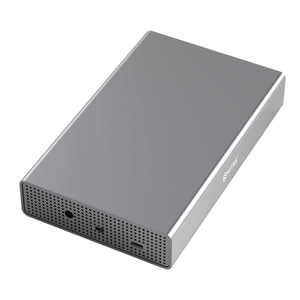
Switss® 3.5/2.5" HDD/SSD Enclosure

Backup Set

  • Switss® 8-in-1 USB-C Hub You're viewing this product now €11,99incl. VAT€9,91excl. VAT
  • Switss® 3.5/2.5" HDD/SSD Enclosure €29,99incl. VAT€24,79excl. VAT

Together €41,98incl. VAT€34,69excl. VAT €39,90incl. VAT€32,98excl. VAT

5% combo discount, automatically applied in your cart